A voice-dictation app that never touches the cloud
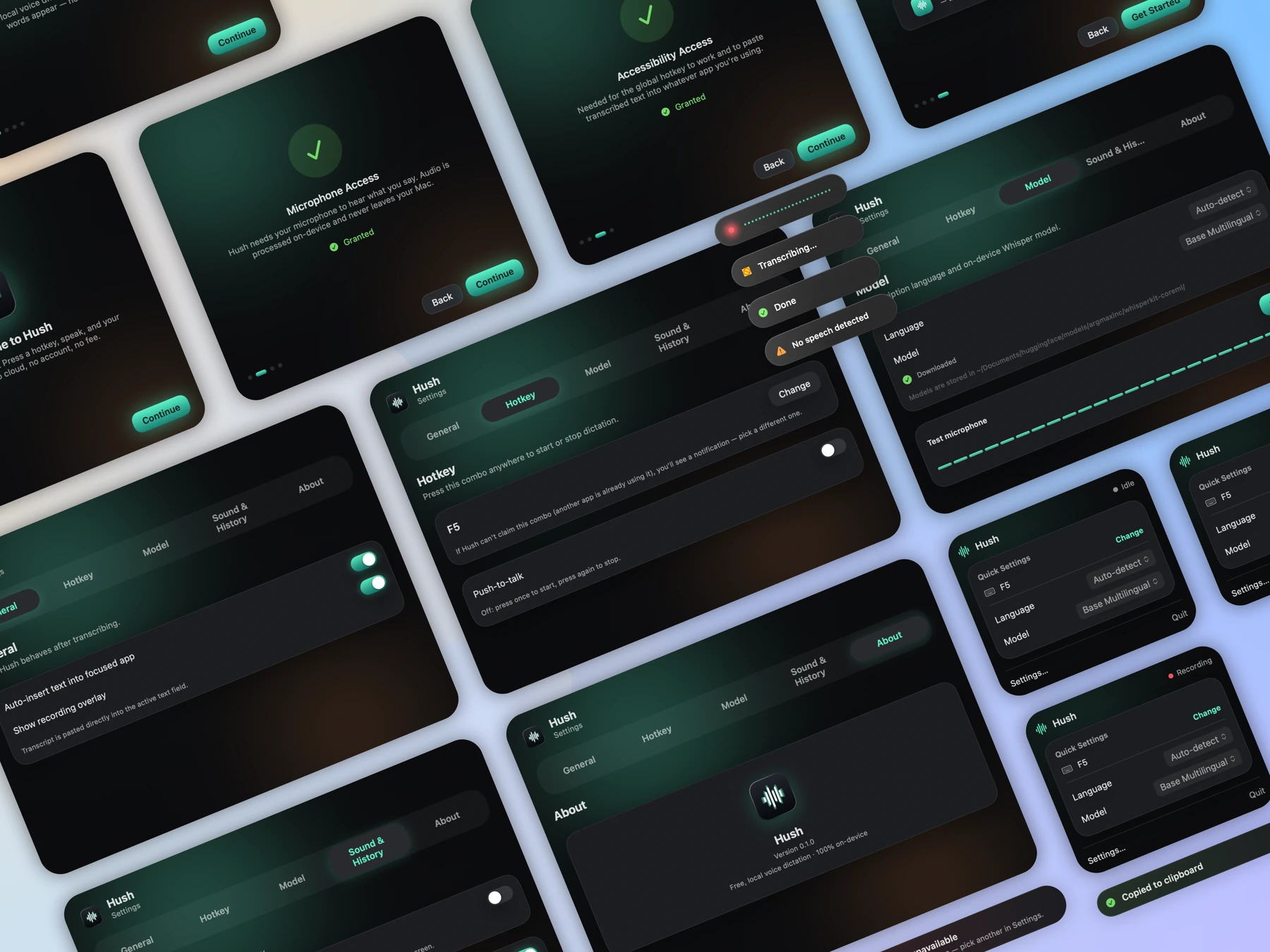
A native macOS dictation utility — press a key, speak, get text — with every word transcribed on-device and nothing ever sent to a server.
Product design, Swift & ML build
3 days
2026
- 100% on-device — no cloud, no account
- Global hotkey → record → transcribe → auto-paste
- Toggle and push-to-talk hotkey modes
- 6 Whisper models, 12+ languages
- 4-step onboarding explains each permission before asking
- Auto-paste falls back to clipboard if Accessibility is denied
Dictation on macOS almost always means handing your voice to a third party. For anyone writing something private — notes, messages, code comments — that's a real cost for a small convenience. The brief we set ourselves: build the fast, cloud-grade dictation experience people already expect, but keep every byte of audio on the device it was recorded on.
Hush lives in the menu bar and does its real work through a single global hotkey — hold to talk, or toggle to dictate hands-free. There's no window to manage and no workflow to learn: record, speak, release, and the text is already where the cursor was. The interface is the absence of one.
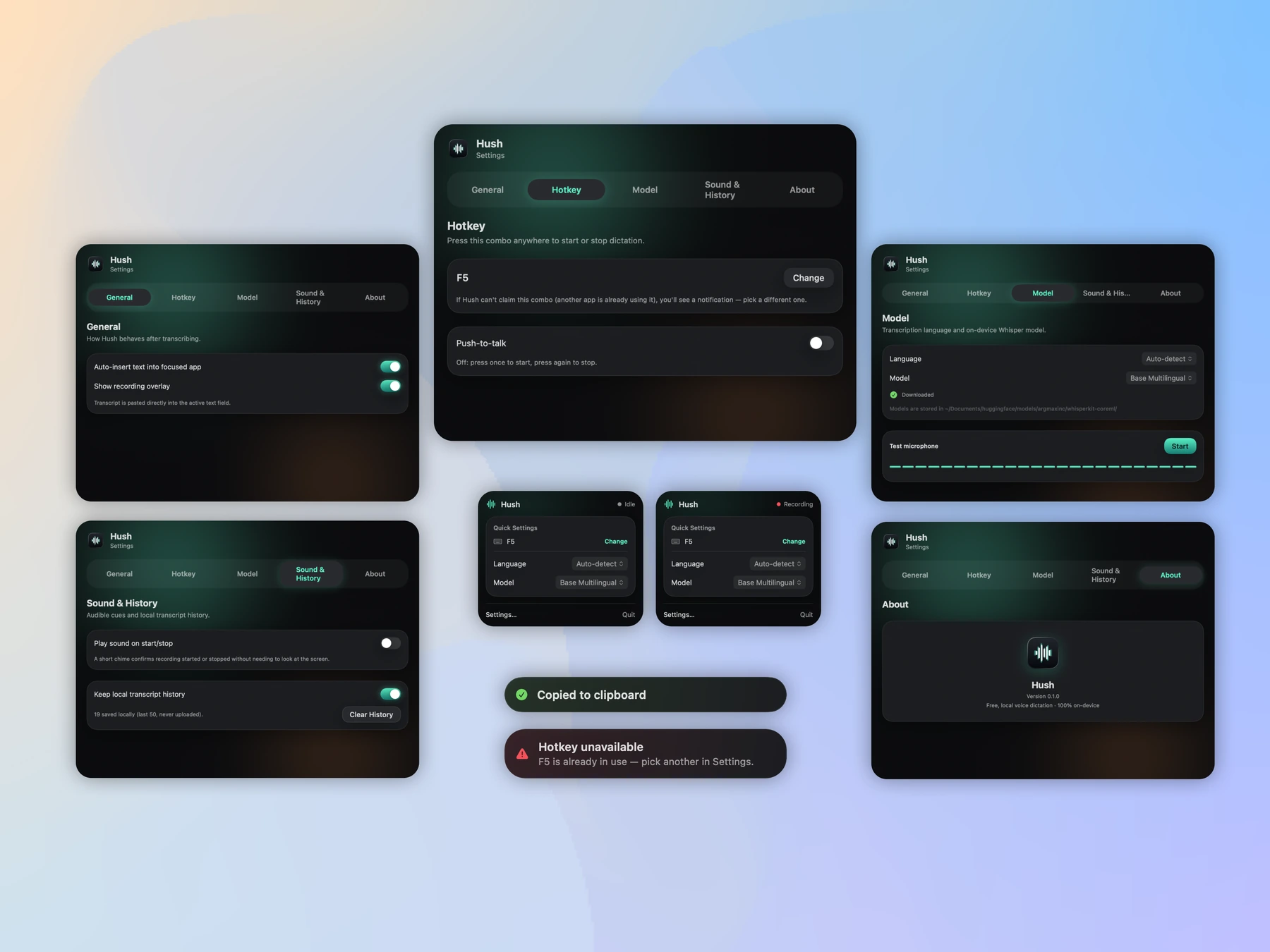
WhisperKit runs entirely on the Neural Engine, so transcription happens locally at speed — no upload, no latency waiting on a server, no data ever leaving the Mac. Six model sizes are bundled, from fast-and-light to large-and-precise, covering twelve-plus languages, so users pick their own trade-off between speed and accuracy.
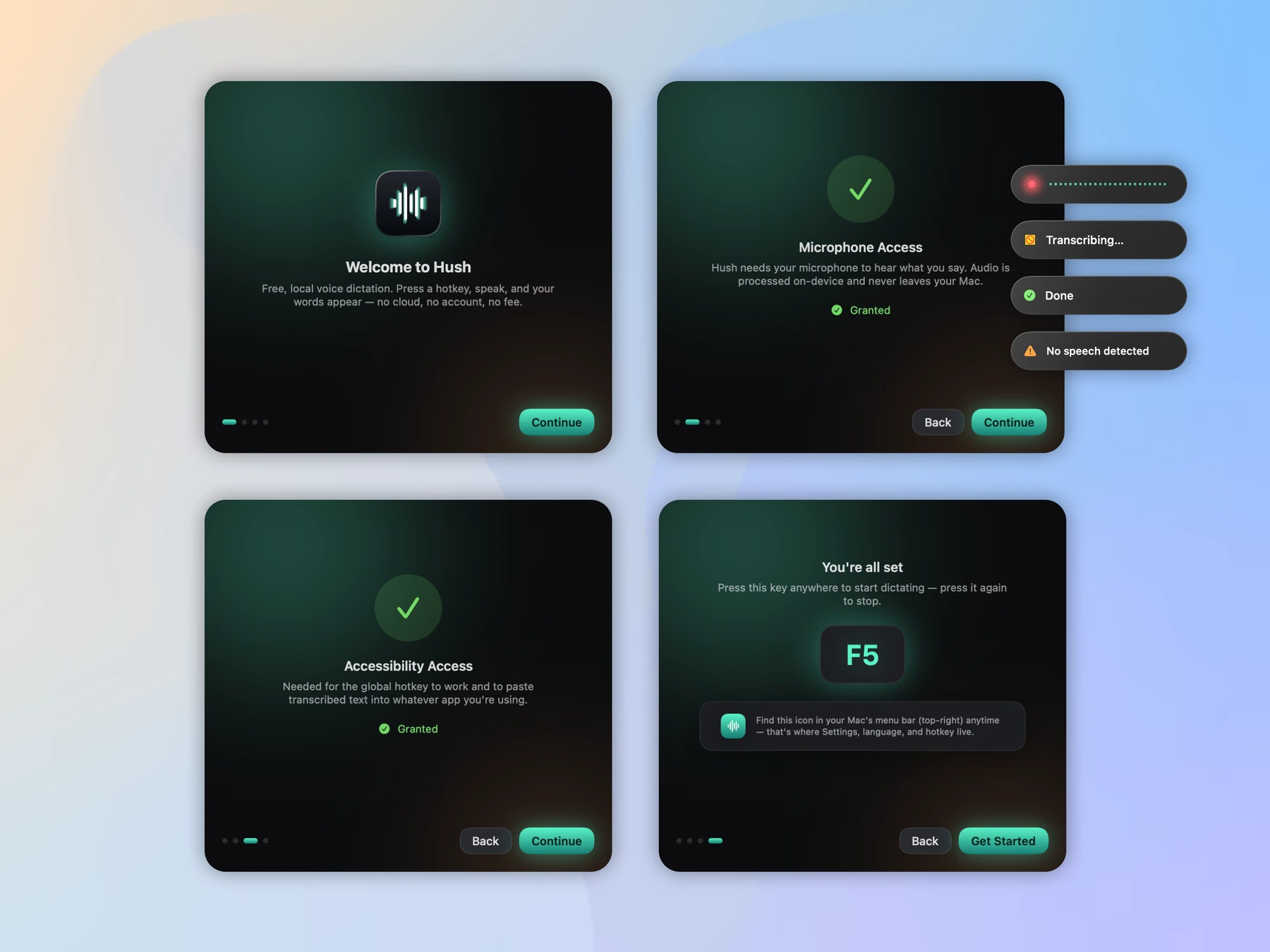
Microphone and Accessibility access are non-negotiable for a tool like this, so we built a 4-step onboarding that explains exactly why each permission is needed before macOS asks for it — trust before the prompt, not after. If Accessibility is ever denied, auto-paste degrades gracefully to the clipboard instead of failing silently.
- 01
Day 1 · Core pipeline
Global hotkey capture, AVFoundation recording, and WhisperKit transcription wired end-to-end.
- 02
Day 2 · Modes & permissions
Toggle and push-to-talk modes, the 4-step permission onboarding, and the clipboard fallback.
- 03
Day 3 · Polish & ship
Model selection, menu-bar UI, codesigning, and the build script.
Let’s build yours.
Building something privacy-sensitive? We design and ship the on-device version — no server, no account, nothing to leak — without giving up the polish users expect from a cloud product.